How Our Digital Gift Cards Work
- Valid for 2 years after the purchase date.
- Can be used in-store and online.
- Sent via email.
The e-gift card is attached to the email. Depending on your email provider and whether you are on mobile or desktop, this attachment will either be at the top of the email as a file or at the bottom of your email.
 |
 |
Purchasing Your Card
- Find the amount you would like to purchase and press "Order".
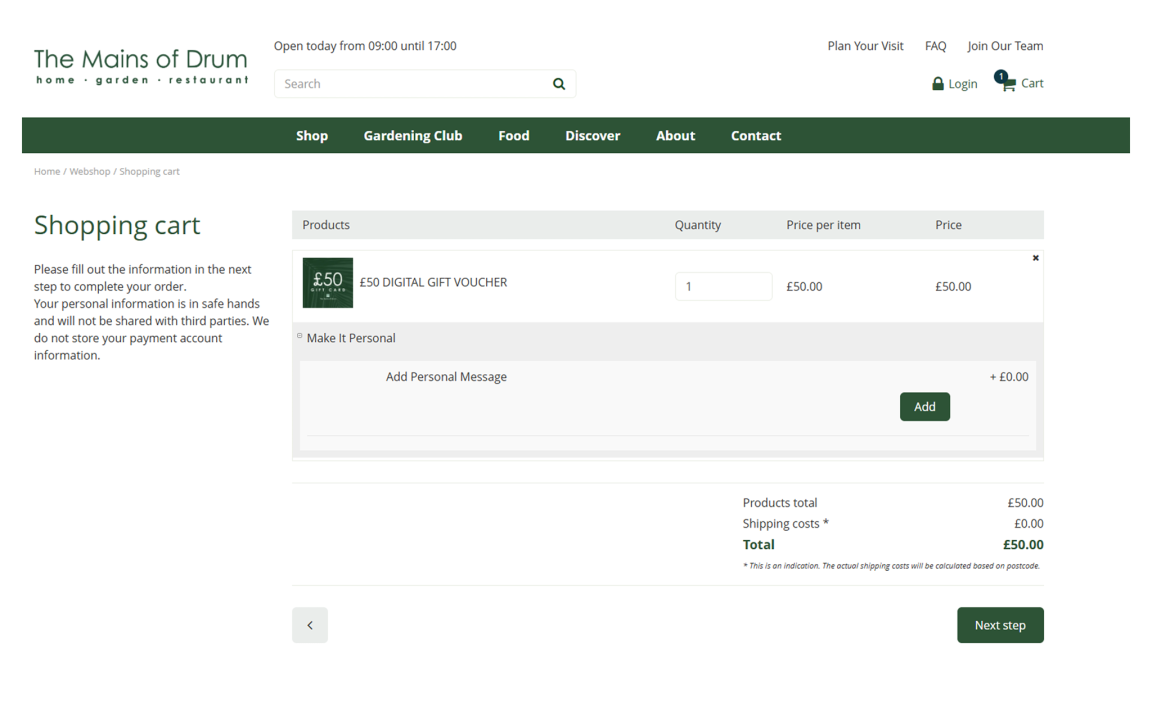
- You will be taken to your shopping cart with selected items.
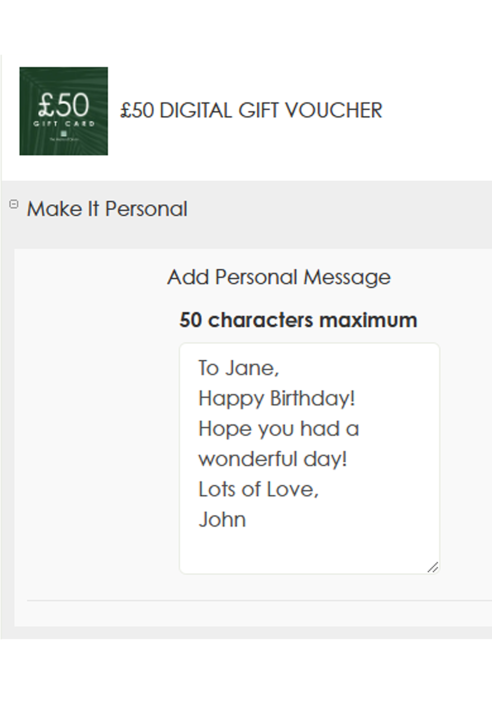
- Here, you can add a personal message. We recommend that you use a maximum of 50 characters so that your text remains within the box on the gift card.
 |
- Press "Next Step" on the bottom right of the page.
- Add your details as needed; the email address entered into the email address field will receive the gift card and invoice. If you don't want the recipient to receive the invoice, send the gift card to your email. You can download the gift card to send it however you wish or print it at home.
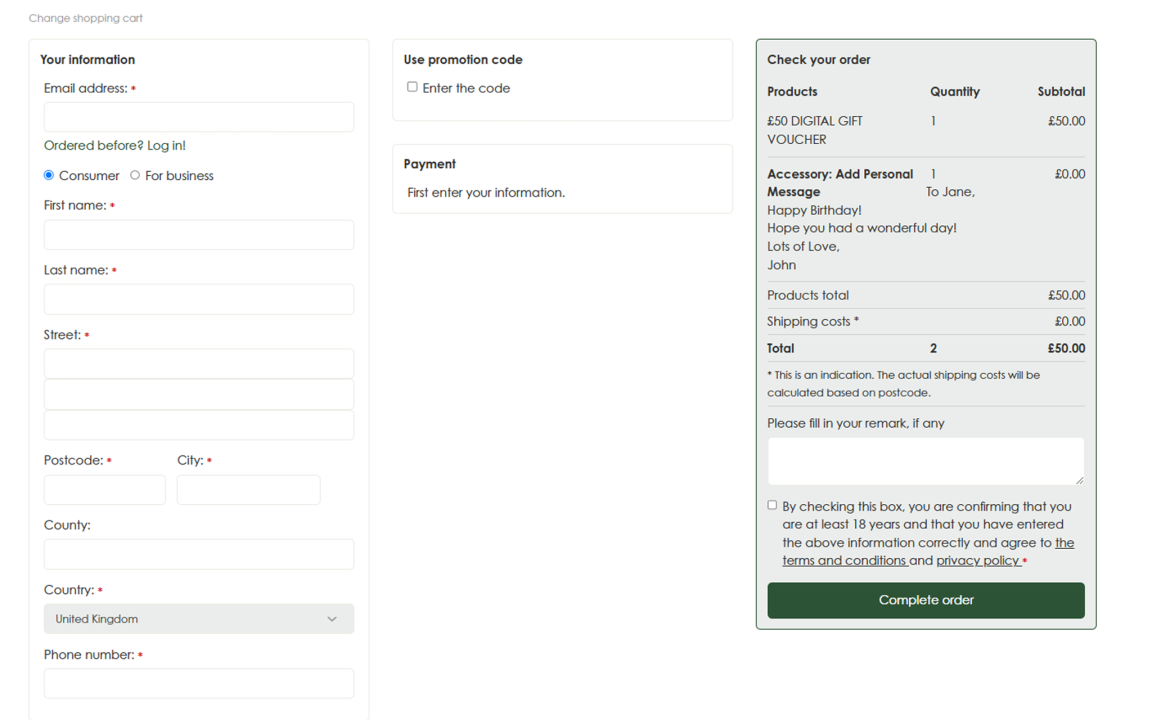
- At this stage, you can check your order, including the message. Press "Complete Order" to proceed to a secure payment page.
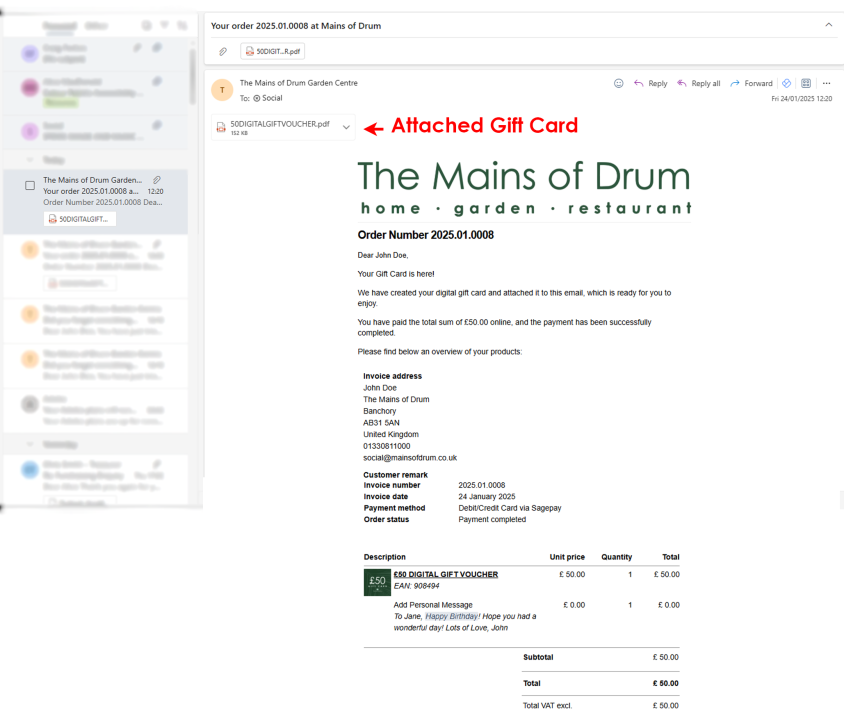
- Once payment is processed, you will receive an email detailing your order. Below is an example of the email that will be sent.
 |
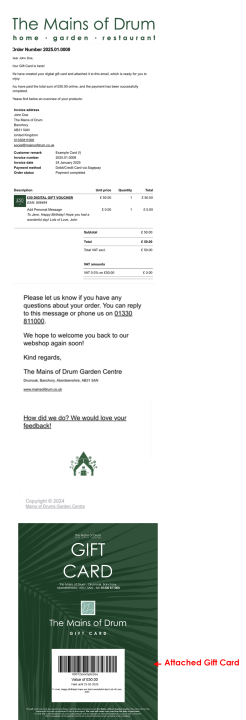
Email View Via Moblie
| The gift card is on mobile at the bottom of your order confirmation, you will likely have to scroll down to view the gift card. You can click on the image to see it separately. |
 |
Email View Via Desktop
| The gift card will appear as an attachment when viewing our confirmation email using a web browser. |
 |
Example of our Digital Gift Cards |
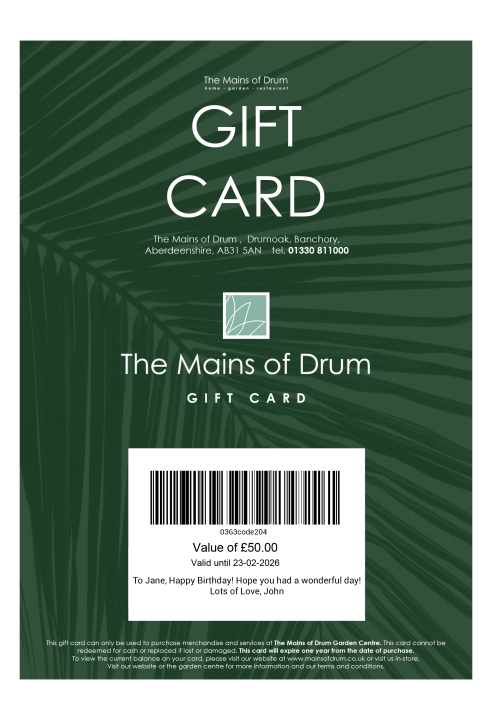 |
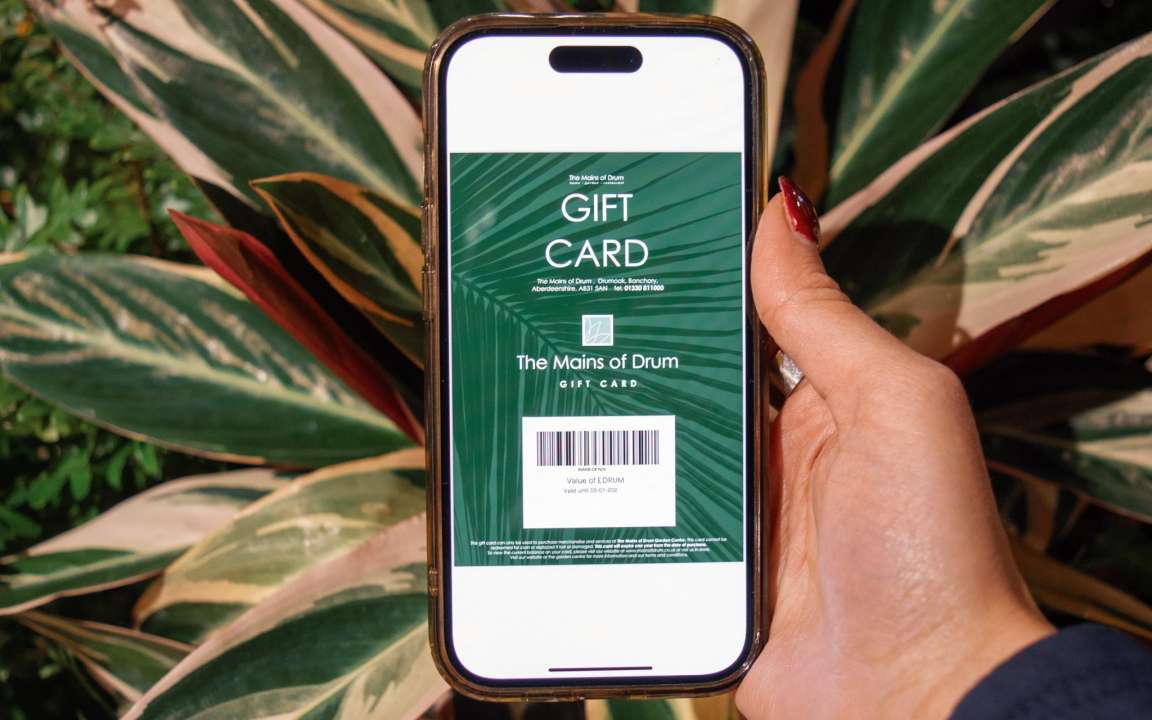
You can show your phone's screen at our tills to scan as payment or print off the voucher at home to take in!